Free online tool, read in your browser
Log viewer online
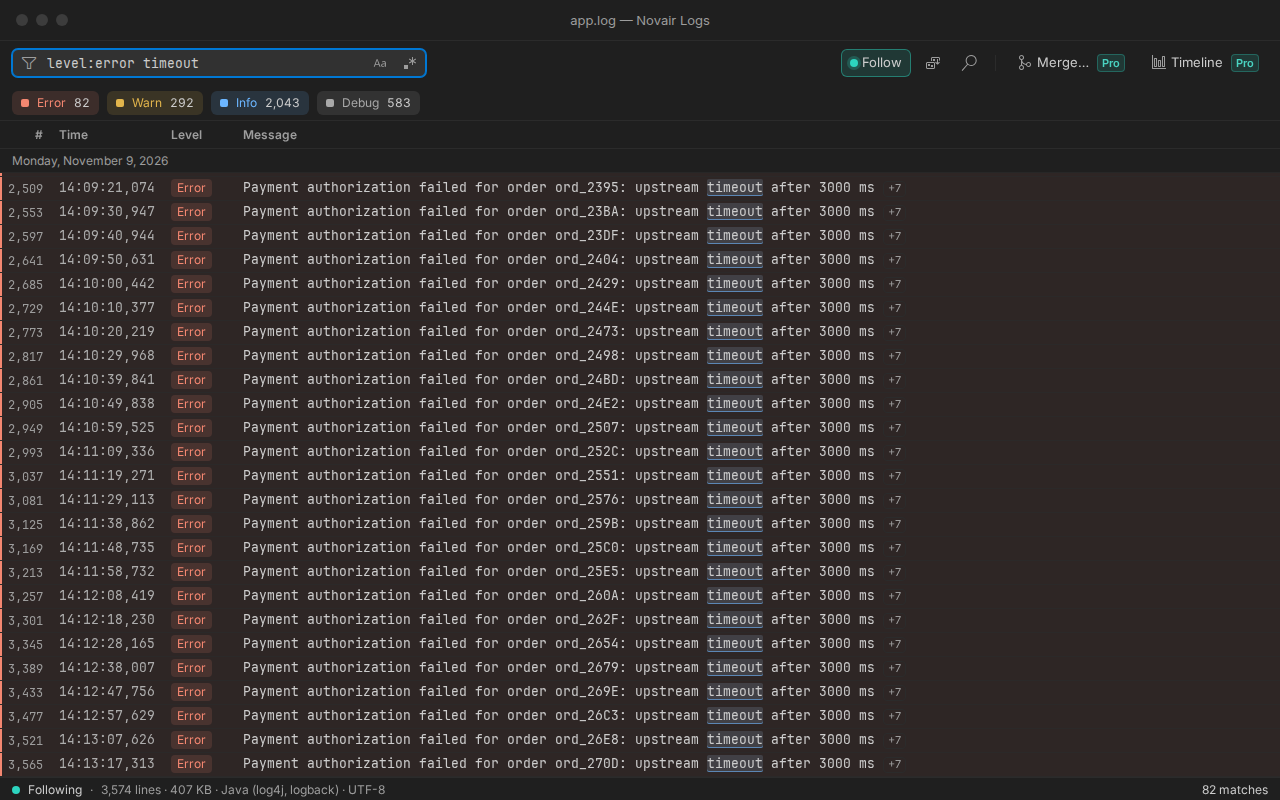
Drop or paste a log file: one row per entry with its time and level, stack traces kept with their line, JSON fields laid out, errors counted, by the engine of Novair Logs for VS Code. The file is read in your browser: this page makes no network request, your log stays on your computer.
- Your log stays on your computer
- JSON lines, logfmt, nginx, log4j, syslog…
- Free, no sign-up
Drop a log file here
or choose a file, up to 20 MB. It is read on this page and stays on your computer.
No log at hand? Try a sample (fictitious data):
Up to 20 MB per file, in your browser. Levels and times are those written in the log; a line without a level is shown as it is. For larger files, live tail and filters, use Novair Logs in VS Code (tested with a 2 GB file).
Which logs can I open?
Formats recognized: JSON lines, logfmt, log4j and logback, Python logging, nginx and Apache access logs, syslog, ISO 8601 timestamps; ANSI colours rendered. Any other text log opens as plain text, one line per row.
Where is my file read?
In this browser tab. The page loads its viewer once, then makes no network request (Content-Security-Policy connect-src 'none'); nothing is kept after you close the tab.
Questions
Is my log sent anywhere?
No. The file is read by this page in your browser; the page is not allowed to make network requests. Close the tab and nothing remains.
How large a file can I open?
Up to 20 MB here. Novair Logs for VS Code reads large logs as a stream, the end of the file first (tested with a 2 GB file), and follows them live.
Can it follow a log live (tail -f)?
Not in a browser page. Novair Logs for VS Code does: new lines arrive without flicker, rotation and truncation are handled, and following pauses when you scroll up.
Can I merge several logs or anonymize one?
In VS Code, with Novair Logs Pro: merge up to 8 logs into one view by time, with a time zone and a clock adjustment for each log; the order inside each log never changes, and the merged view keeps following live. The copy replaces the IPs, e-mails, tokens, secrets and patterns it recognizes with aliases. Consistent aliases are pseudonyms: the same value always gives the same alias, so the copy may still be personal data. Check the copy before sending it.